Walk the store
Next Gen Seller Central
A deep dive into the seller experience of NGS for Easy Ship. We test whether the new experience delivered what it promised, find where sellers still struggle, and recommend what to fix first.

The goal
Why we're doing this
Improve the seller experience on Seller Central (NGS) by understanding seller needs, identifying pain points, simplifying navigation, and making tasks easier and more intuitive to complete.
Answers along the way
What we'll examine
Onboarding
How easily do new sellers get started, and where do they hit confusion?
Navigation & Usability
Can sellers easily navigate Seller Central, find the features they need, and complete tasks without confusion or unnecessary steps?
Daily Operations
Can sellers efficiently manage orders, inventory, listings, and shipments while minimizing time, effort, errors, and repetitive work?
Communication & Support
How effectively do sellers understand notifications and instructions, find relevant support, and resolve issues independently?
Growth & Business Tools
How effectively do sellers discover and use growth tools, understand business insights, and overcome barriers to scaling their business?
Trust & Transparency
Are fees, deductions, and policies transparent, account health easy to track, and decisions and required actions clearly communicated to sellers?
Success metrics
How we'll measure it
| What we measure | Signals we track |
|---|---|
| Task Success & Completion |
|
| Navigation & Discoverability |
|
| Seller Satisfaction |
|
| Operational Efficiency |
|
| Help & Issue Resolution |
|
| Trust & Confidence |
|
Understand the seller
Personas & journeys

The First-Timer
Ravi Sharma
New seller · 8–15 SKUs · Mobile-first · Easy Ship
Get his first 50 sales and prove online selling works
Stage 1 · Get started
Friction: Unfamiliar terms, too many options, unclear next steps
Stage 2 · Add products
Friction: Confusing fields, image requirements, errors on mobile
Stage 3 · Process first order
Friction: Unclear shipping steps, pickup expectations, order status
Stage 4 · Track sales & payments
Friction: Fees, payment timing, and how to get more sales
“Agar yeh chal gaya, toh doosri dukaan kholne ki zaroorat nahi”

The Scaling Hustler
Priya Patel
150–200 SKUs · Laptop + mobile · Easy Ship + FBA
Cross ₹10 lakh/month and build a brand
Stage 1 · Review performance
Friction: Tasks and insights spread across sections
Stage 2 · Manage large catalog
Friction: Repetitive updates, variations, Excel mismatch
Stage 3 · Fulfillment & stock
Friction: Fulfillment costs, stock needs, cross-channel inventory
Stage 4 · Grow the business
Friction: Finding tools, comparing results, profitability actions
“I don't just want to sell products — I want to build a name”
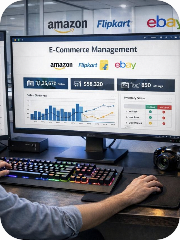
The Power Seller
Vikram Mehta
2,000+ SKUs · Desktop + integrations · Multiple fulfillment models
Scale to ₹1 crore/month across channels
Stage 1 · Monitor health
Friction: Too many alerts, fragmented operational views
Stage 2 · Products at scale
Friction: Upload errors, processing delays, data inconsistencies
Stage 3 · Coordinate fulfillment
Friction: Workflow switching, exceptions, unclear ownership
Stage 4 · Optimize & expand
Friction: Comparing performance, discrepancies, marketplace switching
“Amazon is my biggest channel. I need it to work like a professional tool”

The Artisan Maker
Lakshmi Devi
20–30 SKUs · Smartphone only · Hindi-first · Easy Ship
Earn ₹50,000/month selling across India
Stage 1 · Check her shop
Friction: Small screens, unfamiliar English, hard-to-read info
Stage 2 · Add or update products
Friction: Typing descriptions, image uploads, listing rules
Stage 3 · Fulfill orders
Friction: Unclear deadlines, packaging, shipping instructions
Stage 4 · Seasonal demand
Friction: Anticipating demand, urgent tasks, resolving issues alone
“Mujhe bas itna chahiye ki mera saamaan poore desh mein pahunche”

The Multi-Platform Optimizer
Arjun Reddy
300+ SKUs · Data-driven · Unicommerce across marketplaces
Build a ₹2 crore/year business, optimized per platform
Stage 1 · Review performance
Friction: No consolidated view of sales, costs, profitability
Stage 2 · Inventory & orders
Friction: Sync issues, duplicate work, unclear latest data
Stage 3 · Optimize profitability
Friction: Connecting revenue, fees, ads to profit per SKU
Stage 4 · Improve & scale
Friction: Slow reports, cross-platform visibility, slow action
“I'm not loyal to any platform. I go where the math works”
Methodology
The research plan
Desk Research
Start with what sellers have already told us — before we ask anything new.
- Existing seller feedback: VOC data, NPS surveys, support tickets, forum posts
- Social listening: YouTube comments on seller content, Play Store reviews, seller forums
Competitive Benchmarking
See how other marketplaces hand sellers their day.
- Analyze competitor seller portals: Flipkart Seller Hub, Meesho Supplier Panel, and peers
Internal Stakeholder Interviews
The pain points the org already knows about.
- Talk to Seller Support, Product, and Ops to gather known issues and repeat tickets
Seller Survey
Quantify what the numbers already hint at.
- Segments: new sellers (<6 months), mid-tier (6–24 months), power sellers (2+ years)
- Covers: satisfaction (CSAT / NPS), feature usage frequency, top pain points, feature requests
In-Depth Interviews & Contextual Inquiry
Watch the real workflow, not the remembered one.
- 1:1 sessions across seller tiers and categories — workflows, emotions, unmet needs
- Screen-share sessions: observe sellers using Seller Central live
- Capture navigation patterns, errors, and workarounds as they happen
- Incentives: Amazon credits and early access to new features
Usability Testing
Give sellers the tasks we assume they can do.
- Task-based tests: create a listing, process an Easy Ship order, check account health, run a promotion, read a notification
- Recruitment: seller webinars, seller forums, account manager referrals
Key learningsPlaceholder copy
What we found
Key learning 01
Placeholder copy — the first headline finding goes here: what sellers were trying to do, where the experience let them down, and why it matters for the business.
Placeholder evidence: metric, quote, or session count that backs this up.
Key learning 02
Placeholder copy — the second headline finding goes here: what sellers were trying to do, where the experience let them down, and why it matters for the business.
Placeholder evidence: metric, quote, or session count that backs this up.
Key learning 03
Placeholder copy — the third headline finding goes here: what sellers were trying to do, where the experience let them down, and why it matters for the business.
Placeholder evidence: metric, quote, or session count that backs this up.
Key learning 04
Placeholder copy — the fourth headline finding goes here: what sellers were trying to do, where the experience let them down, and why it matters for the business.
Placeholder evidence: metric, quote, or session count that backs this up.